
 Since groovy, rxplot becomes DEPRECATED and is succeeded by rqt_plot.
Overview
rxplot is a tool in the rxtools package that plots data from one or more ROS topic fields using Matplotlib. For plotting of data contained in bag files, you may wish to try the rxbag tool instead.
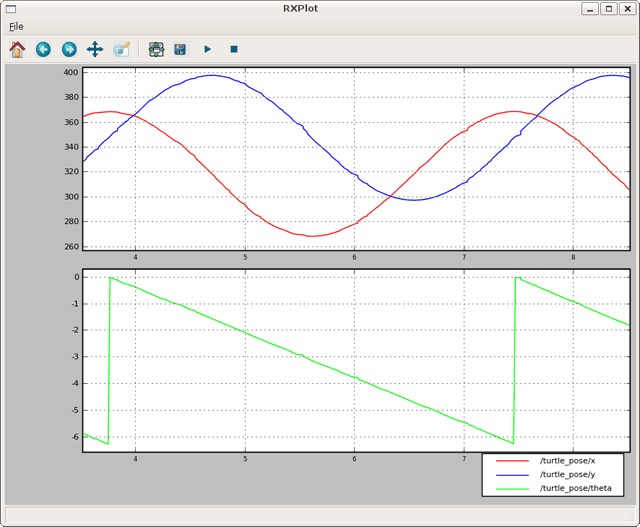
Usage
$ rxplot /topic1/field1 /topic2/field2
To graph the data all on the same plot:
$ rxplot /topic1/field1,/topic2/field2
To graph multiple fields of a message:
$ rxplot /topic1/field1:field2:field3
All of these options can be specified together, e.g.:
$ rxplot /topic1/field1,/topic2/field2:field3 /topic4/field4
Options
-l LEGEND, --legend=LEGEND
Set the legend. LEGEND should be a comma-separated list of labels.
-p PERIOD, --period=PERIOD
- Set the time period in seconds displayed in window.
-m MARKER, --marker=MARKER
- Set the line marker, e.g. o, ^, .
-t TITLE, --title=TITLE
- Set the title of the plot screen.
-b BUFFER, --buffer=BUFFER
- Set size of plotting buffer in seconds (default of -1 keeps all data).
--mode=scatter <topic/field1> <topic/field2> [topic/field3] New in diamondback
- Do scatter plot. If two arguments are provided, time is used as third axis.
--mode=3d <topic/field1> <topic/field2> [topic/field3] New in diamondback
- Do 3d plot. If two arguments are provided, time is used as third axis.
-r REFRESH_RATE, --refresh_rate=REFRESH_RATE New in electric
Set refresh rate of display (default 2hz). This option is useful for reducing the CPU usage of rxplot.
-P, --pause New in Electric
- Start in paused state.
--ymin, --ymax New in Fuerte
- Set y-axis scale limits.
Tutorials
- Entendendo tópicos no ROS
Este tutorial apresenta tópicos no ROS, e também como utilizar as ferramentas rostopic e rqt_plot.
- ROS Topics 이해하기
This tutorial introduces ROS topics as well as using the rostopic and rqt_plot commandline tools.
- Tìm hiểu về ROS Topics
Hướng dẫn giới thiệu về ROS topics cũng như dùng công cụ dòng lệnh rostopic và rqt_plot .
- Comprendre les Topics ROS
Ce tutoriel introduit les concepts de Topics sous ROS ainsi que l'utilisation des outils en ligne de commande rostopic et rqt_plot.
- ROSトピックの理解
- Understanding ROS Topics
This tutorial introduces ROS topics as well as using the rostopic and rqt_plot commandline tools.
- Understanding ROS Topics
This tutorial introduces ROS topics as well as using the rostopic and rqt_plot commandline tools.
- 理解ROS话题
- No Title
No Description